Anyone running an older Panasonic Toughbook eventually asks whether the model still exists and what can take over its job. This article therefore starts from the individual model. It sorts the CF-31, CF-54 and FZ-G1 as well as the current models 55, 40, 33 and G2 by form factor, display and protection rating. We read every Panasonic figure in a document from Panasonic itself, and the source is given in the table. After that come devices from our range with the same form factor, with the values from our datasheets. Panasonic devices are not part of our range. If you would rather compare whole manufacturers than individual models, see the article Toughbook alternatives: Getac and Durabook compared with Panasonic.
The Panasonic models at a glance
The table lists only what appears in a Panasonic document. Display and protection rating apply to the version described there, because Panasonic offers most models in several configurations. The form factor is given in Panasonic's own words.
| Model | Form factor according to Panasonic | Display | Protection rating and test standard according to Panasonic | Source |
|---|---|---|---|---|
| CF-31 (mk6) | Laptop, “fully rugged” | 13.1 inches, XGA (1024 x 768), resistive touchscreen | IP65, MIL-STD-810G | Datasheet |
| CF-54 | Laptop, “semi-rugged” | 14 inches, HD (1366 x 768) or Full HD (1920 x 1080) | IP51, MIL-STD-810G | Datasheet |
| FZ-G1 | Tablet, “fully rugged”, Windows 10 Pro | 10.1 inches | IP65, MIL-STD-810G | Configuration flyer, Certifications |
| TOUGHBOOK 55 (FZ-55mk2) | Laptop, “rugged” | 14 inches, HD or Full HD (1920 x 1080) with touchscreen | IP53, MIL-STD-810H | Product page |
| TOUGHBOOK 40 (FZ-40) | Laptop, “fully rugged” | 14 inches, Full HD | IP66, MIL-STD-810H | Product page |
| TOUGHBOOK 33 (CF-33) | 2-in-1 tablet, “fully rugged” | 12 inches, QHD, 3:2 aspect ratio | IP65, MIL-STD-810H | Product page |
| TOUGHBOOK G2 (FZ-G2) | 2-in-1 tablet, “fully rugged” | 10.1 inches, WUXGA | IP65, MIL-STD-810H | Product page |
There is no table row for the CF-19 and CF-53. We could not read a Panasonic document giving display and protection rating for these two models, and we do not quote values from memory. You can get the datasheet for your configuration from Panasonic. The photo shows a CF-19 in field use.
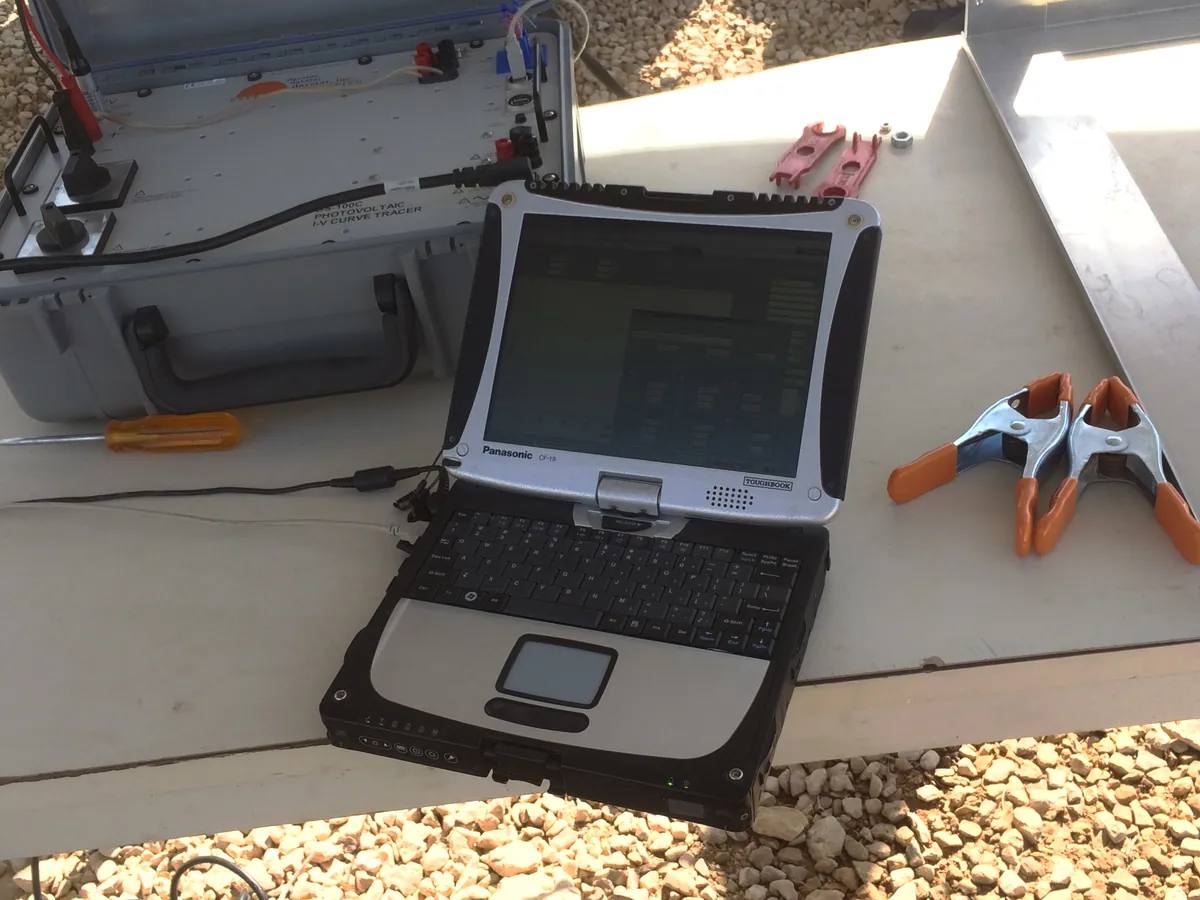
Image: Ali from Riyadh, CC BY 2.0, via Wikimedia Commons (reduced in size)
What Panasonic says about the end of production
There is a clear statement for the CF-31. In an article on Panasonic Europe's site, Panasonic says the CF-31 reached end of life in 2018. Panasonic built five versions between 2010 and 2014. According to the same article, the TOUGHBOOK 40 came to market in 2022. The article calls the CF-31 a blueprint for the form factor and functionality of the 40, but it does not speak of a successor. We therefore do not either.
For the other models in the table we found no statement about discontinuation. On Panasonic Europe's product pages, the labels EOL and NEW appear next to individual model cards, without the page explaining which card refers to which model. Apart from the CF-31, we therefore do not describe any model as discontinued.
For spare parts, Panasonic North America's warranty terms state at least five years from the end of production, with the later date of end of production and end of sale applying. An article from 2021 gives a commitment of seven years after EOL for Windows TOUGHBOOK models. Both statements come from the North American site. For Europe and for your model, ask Panasonic.
Which model is replaced by which form factor
CF-31: 13.1 inches, fully rugged, IP65
According to Panasonic, the CF-31 is a fully rugged laptop with a 13.1-inch display, 1024 x 768 pixels, a resistive touchscreen, IP65 and MIL-STD-810G. In the same class in our range are the Getac B360 G3 with 13.3 inches and the Durabook Z14I with 14.0 inches. Both have IP66 and MIL-STD-810H, and the resolution rises to Full HD. Panasonic gives 19.5 hours of battery life for the CF-31, and 28.5 hours with a second battery in the media bay. Our datasheet gives 12.5 hours with one battery for the Z14I, and two replaceable batteries without a runtime figure for the B360 G3. Runtimes can only be compared if the same measurement method underlies them. Ask which method was used.
CF-54 and TOUGHBOOK 55: 14 inches, IP51 and IP53
Panasonic describes the CF-54 as a semi-rugged laptop with 14 inches, either HD or Full HD, IP51 and MIL-STD-810G. The datasheet lists a true serial port, VGA and an optional second battery with hot swap. The TOUGHBOOK 55 stays at 14 inches and lists IP53 and MIL-STD-810H, with a drop resistance of 91 cm. Panasonic North America's site now shows a TOUGHBOOK 56 with 14 inches, IP53 and MIL-STD-810H. From our range, the Getac S410 G5 and the Durabook S14I are in this class: both have 14 inches, IP53 and MIL-STD-810H. The datasheet lists a serial port for the S410 G5 in all four configurable I/O variants, and for the S14I once, with a second one optional.
FZ-G1 and TOUGHBOOK G2: 10.1 inches as a tablet
According to Panasonic, the FZ-G1 is a fully rugged tablet with 10.1 inches and Windows 10 Pro, tested to IP65 and MIL-STD-810G. The TOUGHBOOK G2 also has 10.1 inches, in WUXGA format with 1000 nits, plus IP65 and MIL-STD-810H. It is a 2-in-1 with an optional keyboard. Panasonic describes the G2 as backward compatible with most CF-20 and FZ-G1 docks. That holds within Panasonic. From our range, the Getac UX10 and the Durabook R10 also have 10.1 inches in WUXGA format and IP66. The UX10 weighs 1.15 kg without the keyboard dock, the R10 1.2 kg.
Devices of the same form factor from our range
The table shows six devices with the core data from our datasheets. Where a value applies only as an option, this is stated. The datasheets are compilations of manufacturer data. The manufacturer's datasheet for your configuration is the binding one. You can find all laptops at a glance in the laptop comparison table.
| Device | Form factor | Display | Protection rating | Test standards | Brightness | Weight |
|---|---|---|---|---|---|---|
| Getac B360 G3 | Laptop | 13.3 inches, Full HD | IP66 | MIL-STD-810H, MIL-STD-461G | 1400 nits | 2.32 kg |
| Durabook Z14I | Laptop | 14.0 inches, Full HD | IP66 | MIL-STD-810H, MIL-STD-461G | 1200 nits (optional) | 3.6 kg (depending on configuration) |
| Getac S410 G5 | Laptop | 14 inches, HD, Full HD optional | IP53 | MIL-STD-810H | 1000 nits | 2.38 kg |
| Durabook S14I | Laptop | 14.0 inches, Full HD | IP53 | MIL-STD-810H | 1200 nits (optional) | 2.37 kg (depending on configuration) |
| Getac UX10 | Tablet | 10.1 inches, WUXGA | IP66 | MIL-STD-810H, MIL-STD-461G | 1000 nits | 1.15 kg (without keyboard dock) |
| Durabook R10 | Tablet | 10.1 inches, WUXGA | IP66 | MIL-STD-810H, MIL-STD-461F | 1000 nits | 1.2 kg |
What does not carry over one to one when you switch
A device of the same form factor does not turn the switch into a swap without effort. Clarify five points beforehand:
- Accessories: Panasonic states dock compatibility only between its own models, for example the G2 with docks from the CF-20 and FZ-G1. Whether your accessories fit a device from another manufacturer is stated in that manufacturer's accessory information. Ask for the list for the target device.
- Interfaces: According to Panasonic, the CF-54 has a true serial port. Our datasheets list a serial port for the Z14I (two RS-232), the S14I (one, optionally two), the S410 G5 (in every I/O variant), the R10 as an option and the UX10 as a possible extension. The datasheet for the B360 G3 lists none.
- Hazardous-area approval: Panasonic lists Class 1 Division 2 as an option for the CF-31, TOUGHBOOK 40, 33 and G2. If you operate such a device, clarify the approval of the replacement with the manufacturer and the responsible body before you change anything. Background is in the article ATEX and explosion protection for devices.
- Operating system: The datasheets for the CF-31, CF-54 and FZ-G1 list Windows 10 Pro. Microsoft ended support for Windows 10 on 14 October 2025. What that means for fleets is covered in the article Windows 10: first ESU year ends.
- Warranty: In its warranty terms, Panasonic lists three years for laptops and tablets of the CF and FZ series. For our devices, the manufacturer's own terms apply. Have the term and scope confirmed in writing in the quote.
Frequently asked questions
Which device corresponds to a CF-31?
By class, display size and protection rating, it is the Getac B360 G3 with 13.3 inches and the Durabook Z14I with 14.0 inches, both with IP66. According to Panasonic, the CF-31 has IP65 and a resistive touchscreen with 1024 x 768 pixels, while both devices have Full HD. Test beforehand whether your software copes with the higher resolution.
Are spare parts still available for my old Toughbook?
That is Panasonic's decision. The warranty terms of Panasonic North America state at least five years from the end of production, and an article from 2021 states seven years after EOL for Windows TOUGHBOOK models. The enquiry with the model number belongs with Panasonic.
Will my Panasonic docks fit a Getac or Durabook device?
We found no manufacturer statement confirming that. Panasonic states dock compatibility only within its own models, for example the G2 with most docks from the CF-20 and FZ-G1. When you change brands, plan mounts and docks anew.
Is my Windows 10 device still safe to run?
Microsoft ended support for Windows 10 on 14 October 2025. Since then, security updates have been available only through the paid ESU programme. According to Microsoft, Windows 10 PCs keep running, but without ESU they no longer receive security updates.
Conclusion: compare form factor and protection rating first
If you are replacing a CF-31, you are looking for 13 to 14 inches, fully rugged and IP66: that means the Getac B360 G3 and the Durabook Z14I. If you are replacing a CF-54 or a TOUGHBOOK 55, the Getac S410 G5 and the Durabook S14I are two 14-inch laptops with IP53. If you need the serial port there, check the I/O variant. If you are replacing an FZ-G1 or a G2, compare the Getac UX10 with the Durabook R10, both with 10.1 inches and IP66.
For the CF-19 and CF-53 we give no recommendation, because we lack documented Panasonic values. For a 2-in-1 with a detachable keyboard such as the 33, we have no row here; the article Toughbook alternatives covers convertibles and tablets with a keyboard. If you need Class 1 Division 2 or Panasonic docks in a vehicle, clarify with the manufacturer before any switch what can be carried over.
If you tell us your Panasonic model and your use case, the RobustBook team will help you choose a device of the same form factor.